CRM / ERP Automation
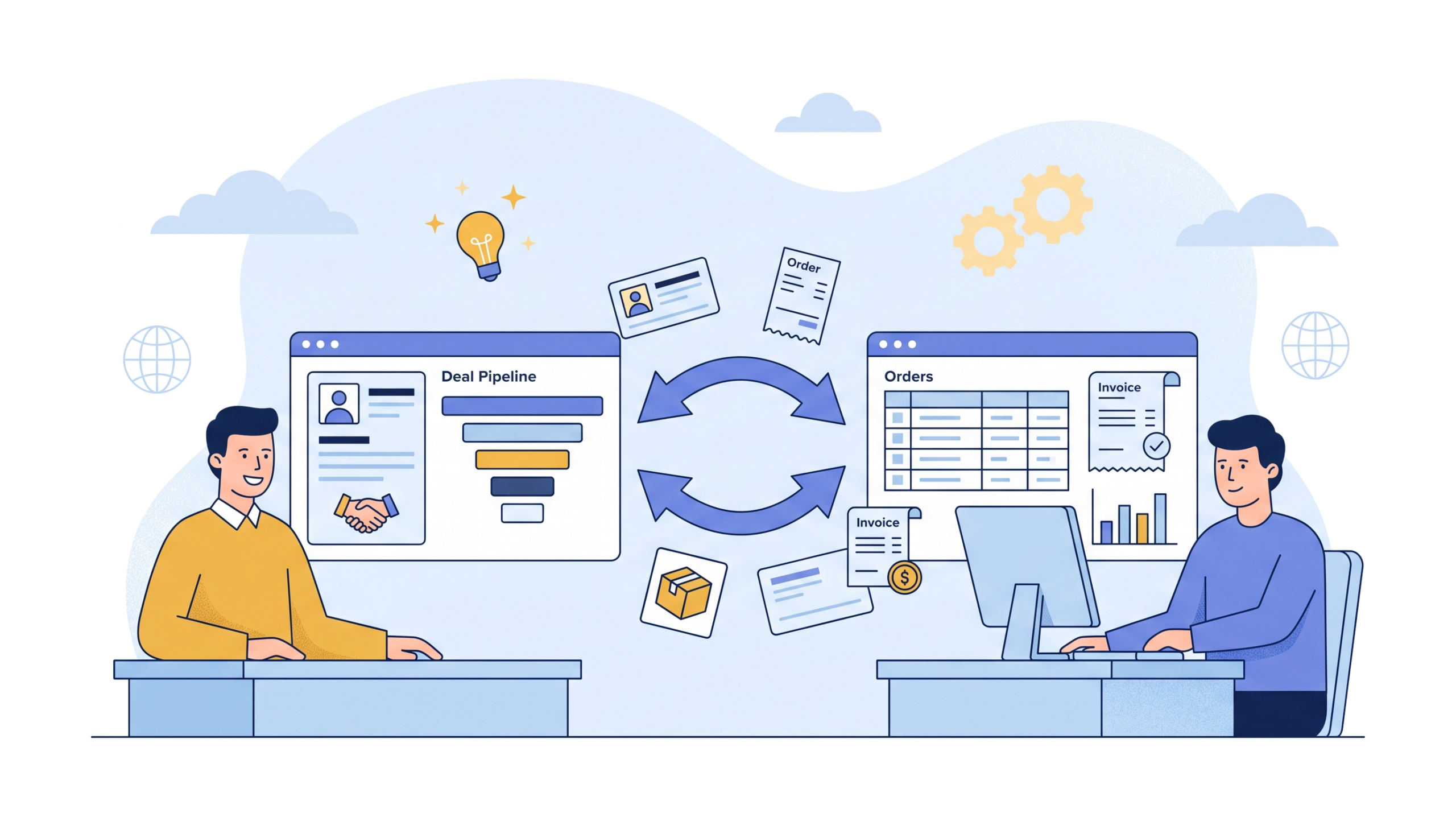
EvolveX Technologies provides CRM and ERP automation and integration services that keep customer, order, stock and billing data in sync between your sales and finance systems, so nobody retypes anything and both teams work from the same numbers.
A sales rep closes a deal on Friday afternoon. On Monday, someone in operations reads the CRM notes, opens the ERP and types the order in by hand. They get the discount wrong. Finance invoices at the old price, the customer complains, and the rep, who can’t see invoices from the CRM anyway, finds out last.
If that sounds familiar, the problem isn’t your people. It’s that your CRM and ERP don’t talk.
Our CRM and ERP automation gets customer, order, stock and billing data moving between the two systems on its own. Sales sees what finance sees. Finance gets what sales promised. Nobody retypes anything.
Why Disconnected CRM and ERP Systems Get Expensive
At low volume, manual workarounds hold up fine. A few exports, a shared spreadsheet, the odd phone call to accounts.
Then the business grows. Duplicate customer records creep in. Orders wait in a queue for someone to key them. The sales dashboard and the finance report disagree about last quarter’s revenue, and a whole meeting gets spent arguing about which number is right. The costs are real, just scattered, which is why they’re so easy to ignore.
CRM and ERP automation deals with the cause instead of adding another checker to the process.
Is CRM ERP Integration Right for Your Business?
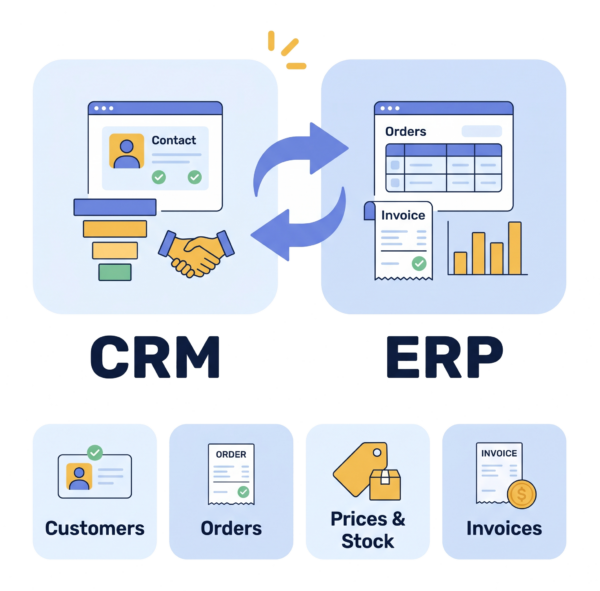
CRM ERP integration connects your customer relationship management system with your enterprise resource planning system so that customer, quote, order, stock and invoice data moves between them automatically, in both directions, instead of being re-keyed. CRM and ERP automation is what runs over that connection: the rules that turn a won deal into an order, keep prices in sync and push invoice status back to the account manager.
Usually, yes, if you handle a steady stream of quotes, orders and invoices, or if more than one team depends on customer data. We often hear from distributors whose reps can’t check stock before promising a delivery date, and from manufacturers who picked up a second system after an acquisition and never quite joined the two.
What We Automate: Quote-to-Order, Order-to-Cash and Data Sync
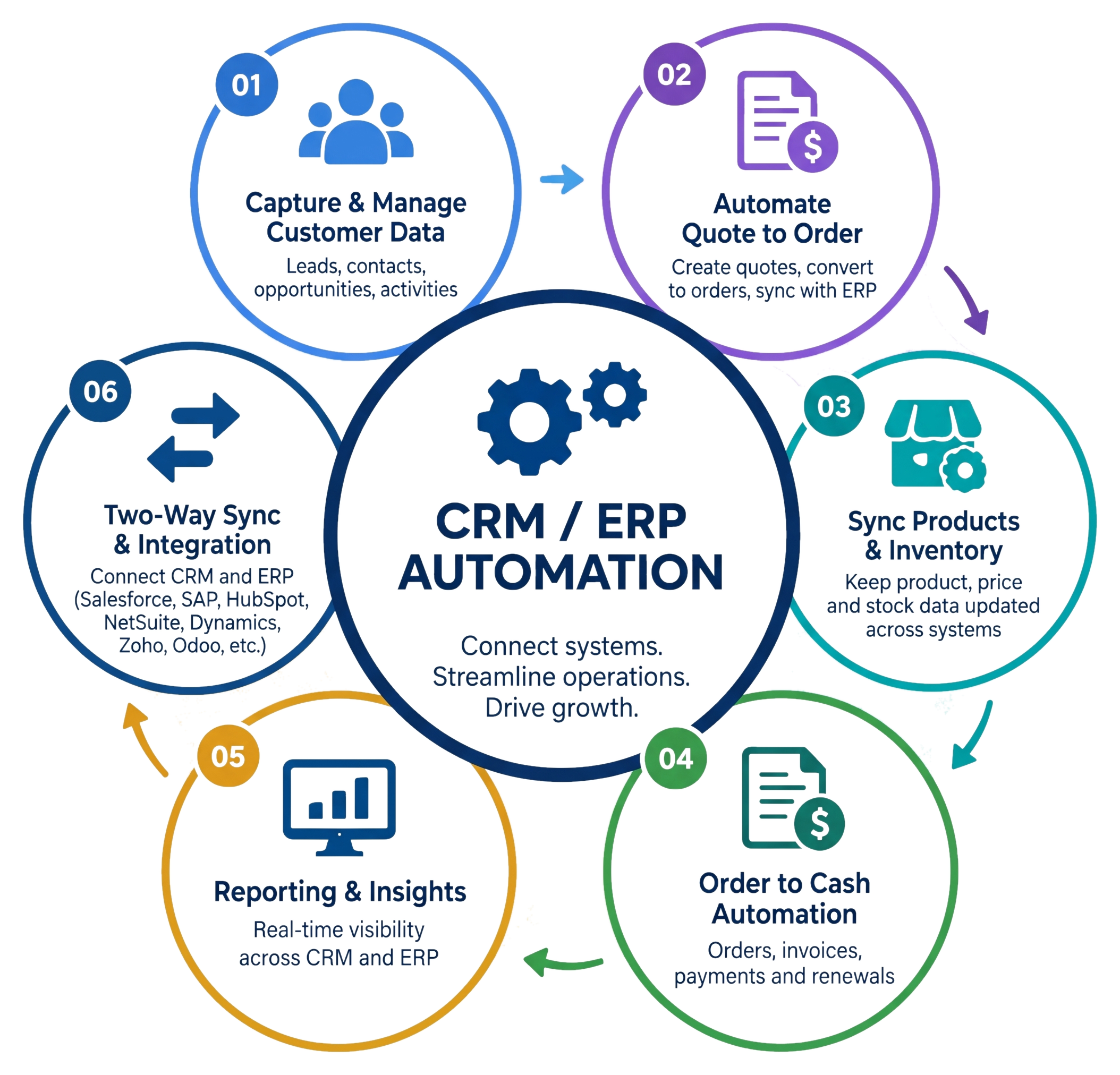
The most common starting point is quote-to-order. An approved quote in the CRM becomes a sales order in the ERP, with the right prices, tax codes and product references. It’s CRM data entry automation at its most useful: nobody copies anything across.
From there, order-to-cash closes the loop. Order status, dispatch updates, invoices and payments flow back into the CRM, so an account manager can answer “has this shipped yet?” without messaging three people. Where orders and invoices still arrive as PDFs or scans, intelligent document processing reads them first so the data enters the flow clean.
Good automation in CRM is mostly about removing small, repetitive jobs. A two-way sync keeps customer records identical in both systems. So do price lists and product catalogues, which matters more than people think, because quoting last year’s price is an awkward email to write. On the sales side, our CRM workflow automation covers live stock checks, lead capture and de-duplication from web forms and campaigns, renewal reminders triggered by contract end dates, and dashboards that pull sales and finance data into one view. That’s CRM and sales automation working together rather than in separate tools.
CRM ERP Integration Built Around the Systems You Already Run
Hardly anyone has a tidy, single-vendor setup. You might have Salesforce with SAP, HubSpot with NetSuite, Dynamics 365 on both sides, Zoho, Odoo, or an in-house system nobody has touched since 2014. Common pairings we deliver include Salesforce and SAP integration, HubSpot and NetSuite integration, and Dynamics 365 CRM with Dynamics 365 Finance. We connect through each platform’s APIs and native connectors first, then middleware where a flow needs transformation or error handling, and where an older system has no usable API, a small RPA integration can bridge the gap, with a software bot handling the screens the old system won’t expose. It’s a fallback, not the plan. You shouldn’t have to buy new ERP automation software, or replace systems that work, just to get them talking.
How a CRM and ERP Automation Project Runs
It starts with a look at how data moves today between sales, finance, operations and support, and where it breaks. Then comes the part people tend to skip: deciding which system owns which data, matching fields and agreeing what happens when two records conflict.
Before switching on any sync, we clean up duplicates and inconsistent records. Syncing bad data just spreads it faster. After that we build the integrations and business rules, with alerts for anything that fails. Everything is tested with real scenarios and rolled out in phases, and once it’s live we monitor sync health and extend things as you grow.
Benefits of CRM and ERP Automation for Sales, Finance and Support
The benefits of CRM and ERP integration show up in three places: less admin for sales, cleaner orders for finance and one view for support.
An automated CRM system takes the admin off your reps. With CRM automation logging activity, moving deal stages and creating follow-up tasks, they spend their time selling instead of updating fields. On the finance side, ERP process automation handles credit checks, order approvals and invoice posting, so finance receives complete orders the first time. Support can see orders, invoices and deliveries on one screen. And the monthly numbers from sales and finance finally match, which, frankly, might be worth the project on its own.
Once the two systems share data, approvals and hand-offs can be automated too, through workflow automation for the rule-based steps and agentic AI automation where a step needs judgement. Our case studies show what that looks like in practice.
CRM and ERP Automation FAQs
What is the difference between CRM ERP integration and CRM ERP automation?
Integration is the connection: the two systems can exchange data. Automation is what runs over that connection: quotes turning into orders, invoices flowing back to the account manager, records staying in sync without anyone pressing a button. We build both, because a connection with nothing running on it doesn’t save anyone time.
Which CRM and ERP platforms do you work with?
Salesforce, HubSpot, Microsoft Dynamics 365, Zoho, SAP, Oracle NetSuite, Odoo and in-house systems, in most combinations. We use each platform’s APIs and integration tools first, and RPA bots only where a system has no usable API.
Do we need to replace our CRM or ERP to automate them?
No. The point is to make the systems you already run work together. Replacing software that works, just to get it talking to another system, is usually the more expensive and riskier route.
How do you handle duplicate records and conflicting data?
Before any sync goes live, duplicates and inconsistent records are cleaned up, and we agree which system owns each field and what happens when two records disagree. Those rules are built into the integration, with alerts for anything that fails validation.
How is a CRM and ERP automation project rolled out?
In phases. We start with the flow causing the most pain, usually quote-to-order, test it with real scenarios, switch it on, then extend to order-to-cash, customer sync and the rest. After go-live we monitor sync health and adjust as your processes change.
Do you use native connectors or build a custom CRM ERP integration?
Native connectors and each platform’s APIs first, because they are supported by the vendor and cheaper to maintain. Where a flow needs data transformation, validation or error handling that a connector cannot do, we add integration middleware. Custom code and RPA bots are the last resort, used only for systems with no usable API.
How long does CRM ERP integration take?
It depends on how many flows you connect, how clean the data is and whether the systems have good APIs. A single flow such as quote-to-order on two well-documented platforms is the quickest to deliver; adding customer sync, price lists and order-to-cash extends the plan. We confirm the timeline after the data-ownership and field-mapping work, not before.
How much does CRM and ERP integration cost?
The main cost drivers are the number of flows, the amount of data clean-up needed before switching on a sync, and whether any system needs RPA or custom work instead of an API. Starting with one flow keeps the first phase small and shows the saving before you commit to the rest.
Let’s Connect Your CRM and ERP
Still copying data between your CRM and ERP? Talk to EvolveX Technologies. We’ll look at your setup and show you where automation would save your team the most time.