
Intelligent Document Processing
Intelligent Document Processing
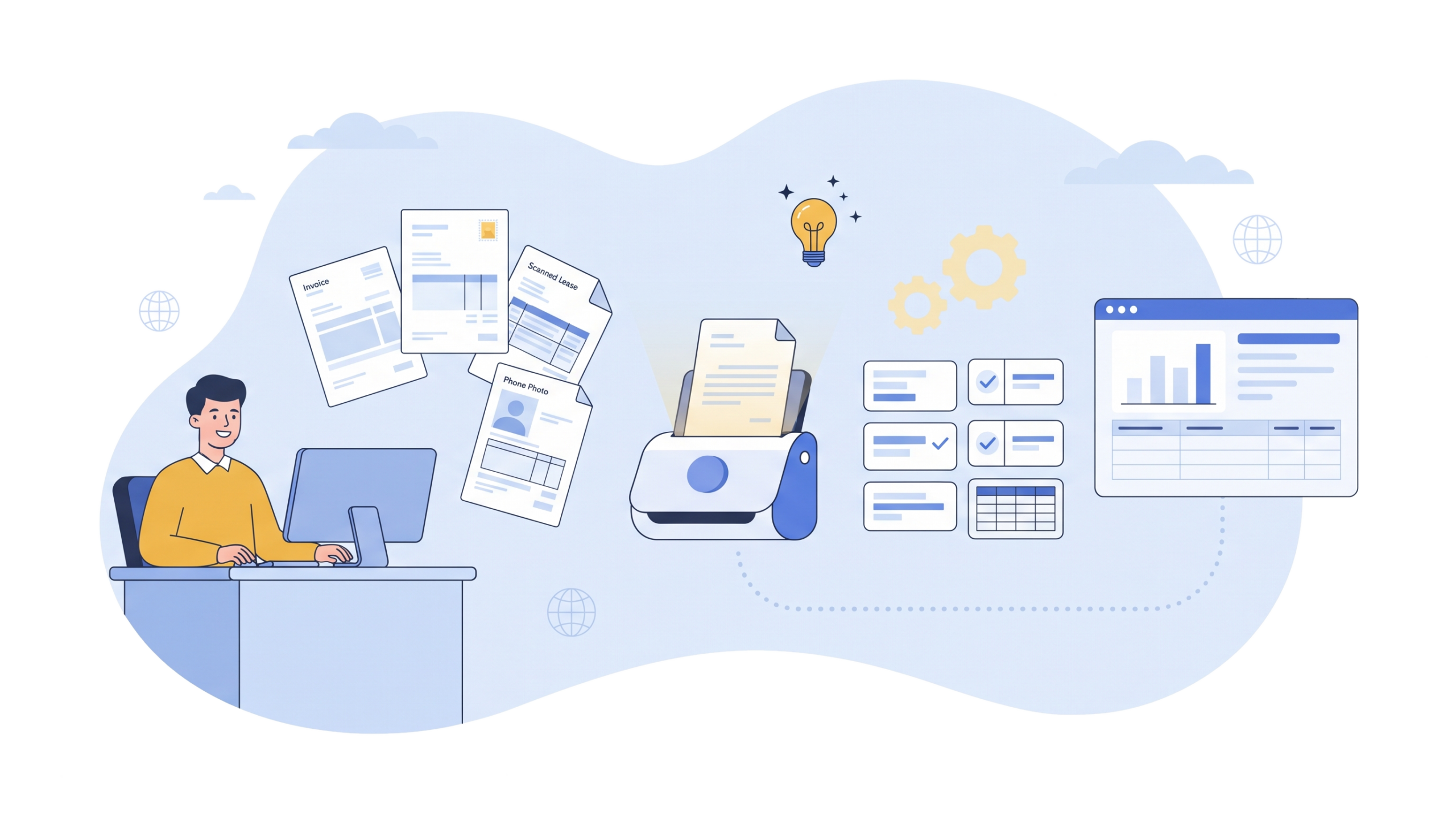
EvolveX Technologies provides intelligent document processing (IDP) services that read invoices, purchase orders, bank statements and scanned forms, extract the data that matters, validate it against your records and deliver it to your ERP, with no manual data entry.
Think about how many documents your team opened last week. Invoices. Purchase orders. A scanned lease someone signed at an angle. A bank statement sent as a phone photo, slightly blurry, with a thumb in the corner.
Somebody read each one and copied the numbers into another screen. Probably twice, if a figure didn’t match.
That’s the part we fix. Our intelligent document processing systems read incoming documents, pick out the data you actually care about, check it against your records and pass it on to the software you already use. People still make the calls. They just aren’t retyping PDFs all afternoon anymore.
What Is Intelligent Document Processing (IDP)?
Short answer: it’s OCR that understands what it’s reading.
Plain OCR turns a picture of text into text, and that’s where it stops. You end up with a wall of characters and no idea which number is the invoice total and which is the phone number for the supplier’s accounts office. Intelligent document processing adds machine learning and language models on top. The system knows a “Due Date” from a “Date of Issue”, can read a table that runs across three pages, and doesn’t fall apart when a vendor quietly redesigns its invoice template.
Older capture tools relied on fixed templates. Good AI document processing software learns from the documents it sees, including the messy ones, and gets better as your volume grows.
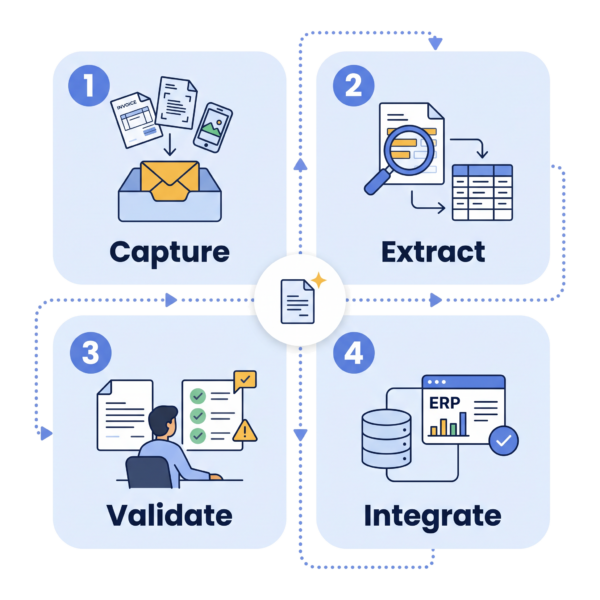
How Our IDP Solution Works: From Inbox to ERP
Say a supplier invoice lands in your accounts inbox at 9:12 on a Monday.
Capture. The system picks it up from the email and works out what it is. Invoice, not a credit note or a delivery slip.
Extract. Then it pulls the fields: supplier name, invoice number, dates, line items, tax, total. Handwritten notes too, within reason.
Validate. Next comes checking. Does the PO number exist? Does the total match the line items? Has this invoice number already been paid? Anything odd gets flagged. Anything the model isn’t confident about goes to a person, who sees the document on one side and the extracted data on the other and can fix it in a few seconds.
Integrate. Once approved, the data goes into your ERP, CRM or accounting system. Where there’s no API, our RPA bots key it in the same way a person would, only faster and without typos.
You decide the confidence level. Some clients want every payment above a certain value checked by a human no matter what, and that’s easy to set.
Documents We Automate with AI Document Processing
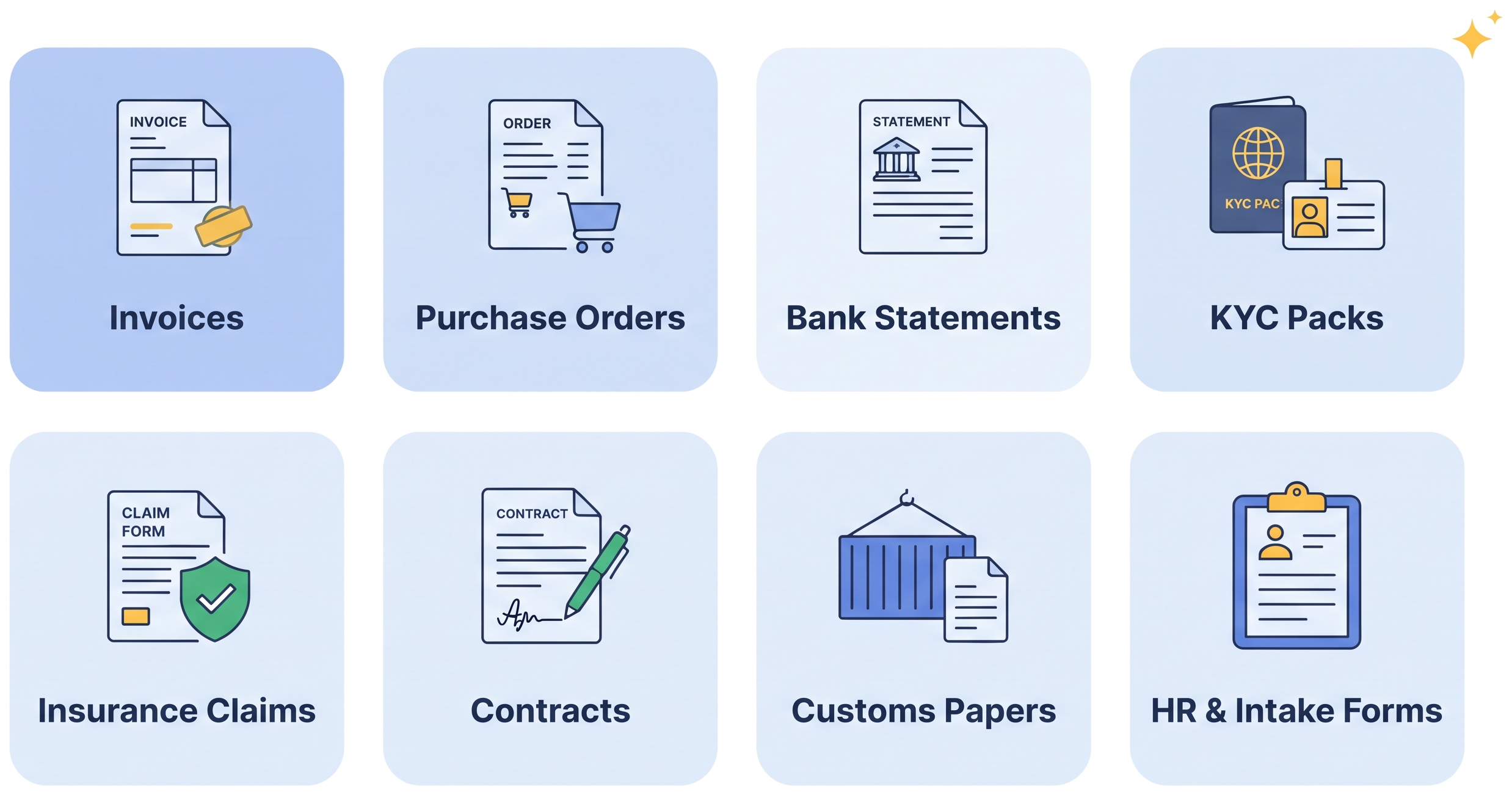
Invoices and purchase orders are where most companies start, because the volume is high and the rules are clear. But automated document processing works for far more than accounts payable. We’ve set it up for bank statements, KYC packs with passports and utility bills, insurance claim forms, contracts, bills of lading and customs paperwork, patient intake forms and new-joiner HR files.
If your documents are specific to your industry, or half of them are filled in by hand, that’s not a deal-breaker. We train the models on your own samples rather than generic ones.
Benefits of Document Processing Automation
Time is the obvious one. A backlog that used to eat up the last week of every month can be cleared as documents arrive.
Fewer errors, too, because data gets checked before it reaches your systems instead of after someone spots a problem in a report. Month-end peaks stop meaning overtime, and your staff get hours back for work that needs a person. And for audits, every document carries a record of what was extracted, who reviewed it and when, which your compliance team will appreciate more than they’ll admit.
Once documents arrive as clean data, the rest of the process can move on its own too. Many clients pair IDP with workflow automation for approvals and routing, or with agentic AI automation when a step needs judgement rather than a fixed rule. You can see how that plays out in our case studies.
How to Choose Intelligent Document Processing Software
Plenty of products say “AI” on the box. Before you commit to any intelligent document processing software, ask a few blunt questions:
- What happens when a document layout changes?
- Can it read handwriting, and more than one language?
- Does it give a confidence score per field, or just pass or fail?
- How does it connect to your ERP or accounting system?
- Where is the data stored, and who can see it?
- Does it learn when your reviewers correct it?
How We Deliver an Intelligent Document Processing Project
We start with one document type, usually the one causing the most pain. You send us a sample batch (a few hundred real documents is ideal), we build a pilot, and you see extraction results on your own files before any big decision gets made.
When the pilot hits the accuracy you need, we connect it to your systems, add further document types and train the people who’ll handle reviews. After go-live we keep an eye on accuracy and retrain as your documents change. Because they will.
Intelligent Document Processing FAQs
What is the difference between OCR and intelligent document processing?
OCR converts an image of text into characters. Intelligent document processing goes further: it classifies the document, understands which value is the invoice total or the due date, validates the data against your business rules and hands it to your systems. OCR is one component inside an IDP solution.
Which documents can intelligent document processing handle?
Invoices, purchase orders, receipts, bank statements, KYC documents such as passports and utility bills, insurance claim forms, contracts, bills of lading, customs paperwork, patient intake forms and HR onboarding files. If a document type is unique to your business, we train the models on your own samples.
Does IDP work with scanned, photographed or handwritten documents?
Yes. The models are built for messy inputs: skewed scans, phone photos, stamps, and handwritten fields within reason. Anything the system isn’t confident about is routed to a reviewer rather than pushed into your records unchecked.
How accurate is intelligent document processing?
Accuracy depends on document quality and how well the models are trained on your data, which is why every project starts with a pilot on your own documents. Per-field confidence scores and human review of low-confidence values mean that what reaches your ERP has been checked.
How does IDP integrate with our ERP or accounting system?
Validated data is delivered through APIs, file exchange or direct integration with your ERP and CRM platforms. Where a system has no API, RPA bots enter the data through the existing user interface.
Talk to Us About Intelligent Document Processing Services
Still keying data in from scans and PDFs? Get in touch with EvolveX Technologies. Share a handful of your documents and we’ll show you what an intelligent document processing solution could pull out of them.