
InboxX Agent™
A product by EvolveX Technologies
Every email into your shared inbox classified, its key data extracted, and routed, replied to or turned into a ticket or record, before anyone opens it.
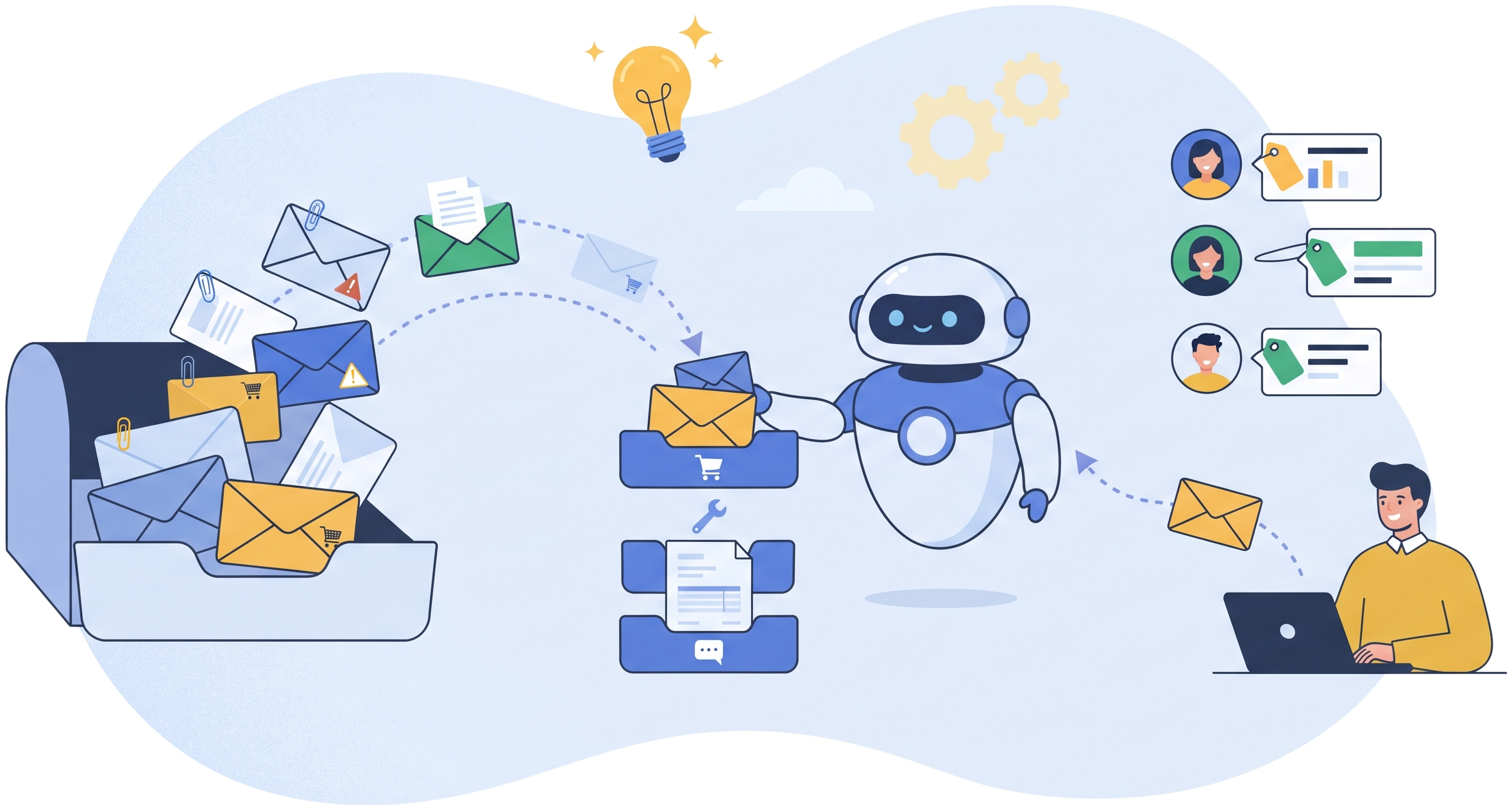
InboxX Agent™ is a shared-mailbox triage automation product from EvolveX Technologies. It reads every message arriving in your shared mailboxes (info@, orders@, support@, accounts@), classifies it as an order, complaint, invoice, claim, enquiry or anything else you define, extracts the details that matter, and then routes it to the right person, replies automatically where a reply is safe, or creates the ticket, order or record in your systems. It is the front door to every other EvolveX agent.
Why We Built InboxX Agent
Every business we work with has a shared inbox that somebody ‘keeps an eye on’. Orders sit next to complaints, supplier invoices next to job applications, and the person triaging it is also doing three other jobs. Messages get missed, forwarded twice or answered late. We built inbox triage as the first step of almost every automation project, because bots and agents can only act once the email has been understood. InboxX Agent is that step packaged as a product, and it hands off directly to InvoiceX, POMatchX, DocInsureX and TicketX.
What InboxX Agent Does
- Any mailbox, any channel. Microsoft 365, Google Workspace and IMAP mailboxes, plus web forms and WhatsApp Business, monitored continuously.
- Intent classification. Each message and attachment classified into your categories (order, complaint, invoice, claim, enquiry, application, spam) with a confidence score; low-confidence items go to a person.
- Key-data extraction. Order numbers, customer names, account IDs, amounts, dates and attachments extracted and matched to existing records in your CRM or ERP.
- Routing rules. Messages assigned to the right team or person by category, customer, region or SLA, with escalation if nobody picks them up.
- Safe auto-replies. Acknowledgements, status answers and document requests sent automatically from approved templates, with everything else drafted for a human to send.
- Tickets and records created. Helpdesk tickets, CRM cases, sales orders and AP invoices created in your systems, so nothing lives only in the inbox.
How InboxX Agent Works
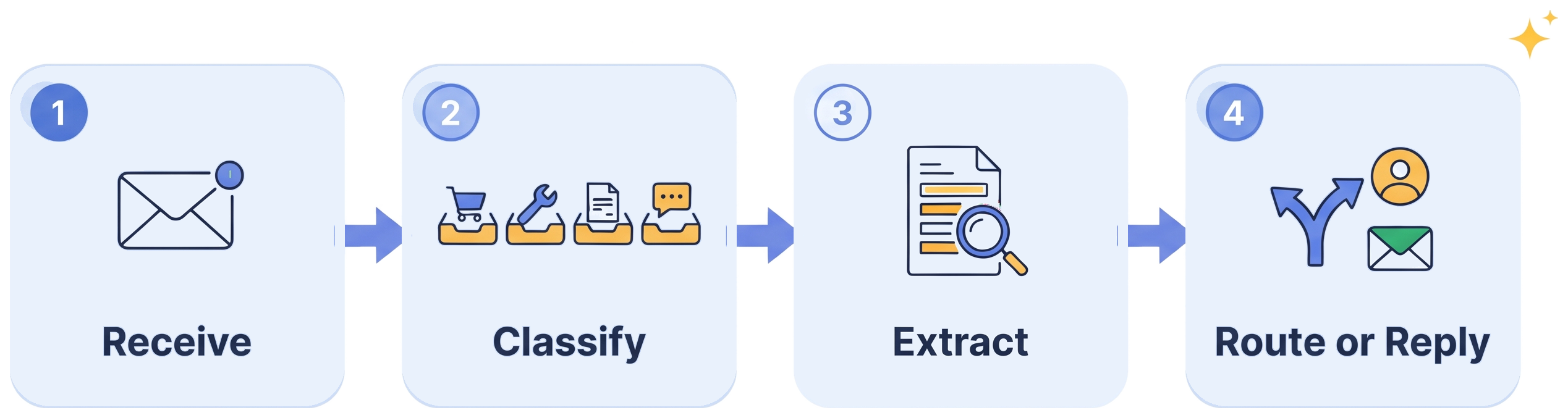
Receive. New messages and attachments are picked up from every connected mailbox within seconds.
Classify. Intent and urgency are determined; uncertain messages are queued for review.
Extract. The key fields are read and matched to your customer, order or supplier records.
Route or reply. The message is assigned, answered from an approved template, or converted into a ticket or record, with the thread kept intact.
Who InboxX Agent Is Built For
- Customer service and operations teams running shared inboxes for orders, support and enquiries.
- Finance and procurement teams with accounts@ and vendor@ mailboxes full of invoices and statements.
- Any business that wants one front door for the other EvolveX agents.
Works With the Systems You Already Run
Microsoft 365 and Google Workspace mailboxes; Zendesk, Freshdesk, ServiceNow, Jira Service Management and HubSpot Service Hub for tickets; Salesforce, HubSpot and Dynamics 365 for cases and contacts; SAP, NetSuite, Dynamics 365 and Zoho for orders and invoices; Slack and Teams for notifications. Where a system has no API, an RPA bot creates the record through its screens.
What You Get With InboxX Agent
- Pre-built product. Extraction models, rules, workflows and connectors that already work, configured to your documents and systems rather than built from scratch.
- Pilot on your own data. You see results on your real files before committing to a rollout.
- Deployment and integration. Set up in your cloud environment or one we manage, connected to your systems by our team.
- Training and handover. Your team learns the review workspace and exception handling in a few sessions.
- Support and improvement. Monitoring, maintenance and model updates as your documents, systems and volumes change, under an agreed support plan.
- Security by default. ISO 27001:2022-certified delivery, encrypted credential storage, full audit logging, NDAs and data processing agreements as standard.
Results You Can Expect
- Every message categorised and assigned within minutes, around the clock
- Routine acknowledgements and status questions answered without a person
- Orders, invoices and claims flowing into the right system the day they arrive
- Fewer missed or duplicated messages and a measurable response time
- A clean hand-off into your other automation agents
See related automation results in our case studies.
InboxX Agent FAQs
Will it reply to customers on its own?
Only where you allow it. Acknowledgements, tracking and status answers and document requests can be sent automatically from approved templates; anything judgement-based is drafted and waits for a person to approve. You decide the boundary per category.
How accurate is the classification?
It is trained on your own historical mailbox during the pilot and improves as reviewers confirm or correct categories. Every classification carries a confidence score, and anything below your threshold is routed to a person rather than acted on.
Does it work with attachments?
Yes. PDFs, images and spreadsheets attached to the email are read with the same extraction engine as DocExtractX Agent, so an emailed invoice or claim form is understood, not just filed.
Which helpdesk, CRM and ERP systems does it connect to?
Zendesk, Freshdesk, ServiceNow, Jira Service Management, HubSpot, Salesforce, Dynamics 365, SAP, NetSuite and Zoho through APIs, with Slack and Teams notifications. For systems without an API, an RPA bot creates the ticket or record through the user interface.
How do we get started?
Give us read access to one shared mailbox, or an export of a month of its messages. We run a pilot, show you the classification and routing results on your real email, then connect InboxX Agent to your systems. Request a demo or book a call from the button in the header.
See InboxX Agent on Your Own Documents
Send us a sample batch and we will show you what InboxX Agent extracts, checks and posts on your real files, then scope a pilot. No slide decks, no generic demo data.